
A beautiful home screen is easy to admire but surprisingly difficult to build. With one ui widgets mod apk, you can experiment with Samsung-inspired widgets, arrange useful information around your favorite wallpaper, and give an ordinary Android launcher a cleaner personality without replacing your entire phone interface.
The Full Version MOD focuses on access rather than adding unfamiliar tools or complicated controls. You get a customization app designed around flexible widget choices, visual themes, and everyday convenience. The interesting part isn't just making your screen prettier. It's figuring out which widgets genuinely deserve space on a screen you check dozens of times throughout the day.
One UI Widgets APK Info
| App name | One UI Widgets |
|---|---|
| Latest version | 4.1.011 |
| File size | 15 MB |
| Developer | JustNewDesigns |
| Genre | Utilities |
| MOD features | Full Version |
| Installs | 50K+ |
| Updated | Oct 24 |
| Google Play | com.jndapp.oneui.widgets.pack |

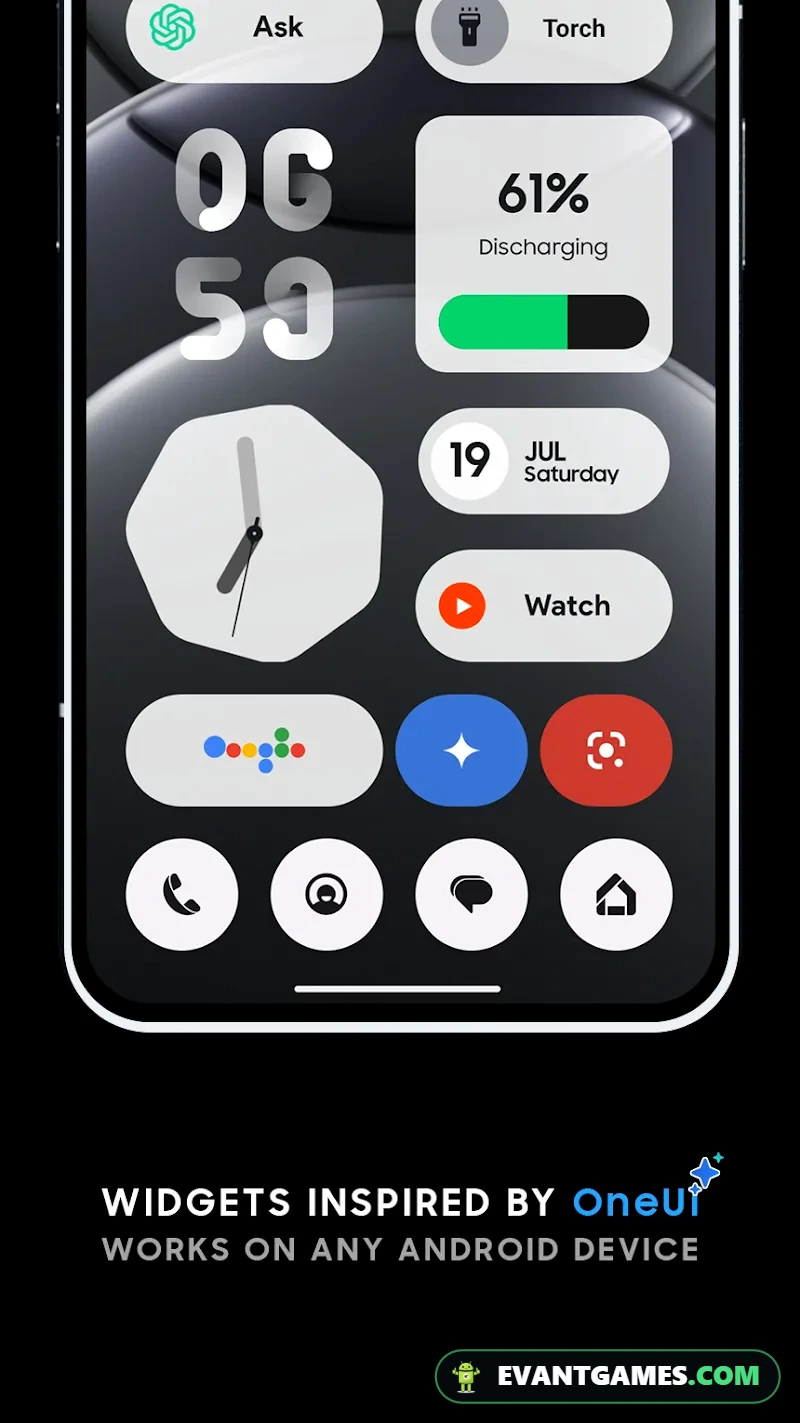
What is One UI Widgets MOD APK?
One UI Widgets is an Android personalization utility developed by JustNewDesigns. Instead of running missions, collecting rewards, or completing levels, you create a home screen that feels organized, attractive, and comfortable to use.
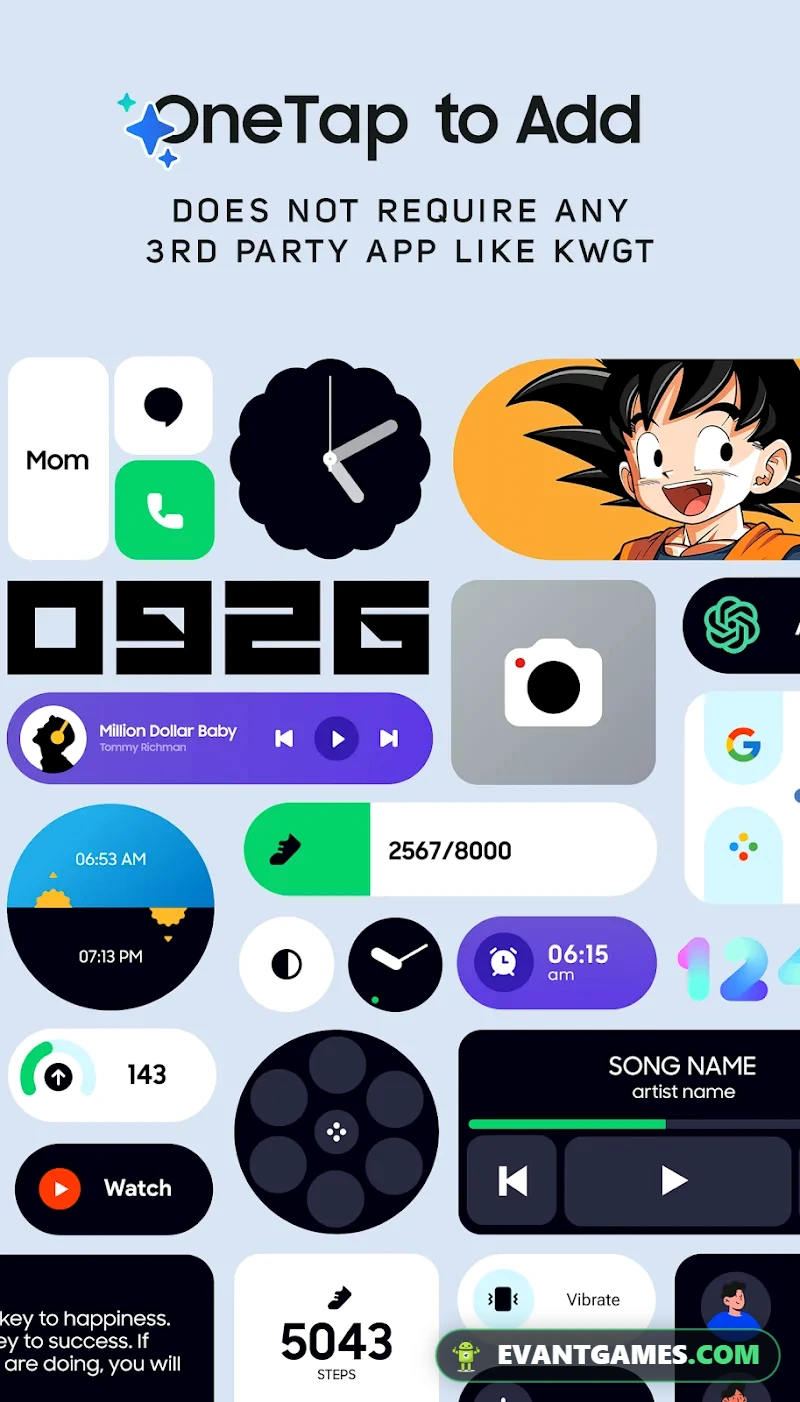
The application offers an extended collection of widgets inspired by Samsung's One UI design language. Its main appeal is the ability to bring different widget styles together, giving you more freedom when arranging your phone's home screen.
Think of widgets as small information panels that live directly on your launcher. Rather than opening an application to check something, a well-designed widget can make useful information easier to reach. The best layouts combine practical shortcuts with a visual style that doesn't compete with your wallpaper.
A familiar Samsung-inspired design
Samsung's One UI interface is known for rounded shapes, readable information, and layouts that prioritize everyday usability. One UI Widgets takes inspiration from that approach and offers a separate customization package for Android users interested in a similar appearance.
This distinction matters. The application isn't Samsung's operating system, and it doesn't turn a different Android phone into a Galaxy device. It's a widget customization tool, not a replacement for the firmware or system launcher.
If you're browsing terms such as one ui 2 apk because you like older Samsung interface designs, this application serves a narrower purpose. It focuses on widgets rather than reproducing every setting, notification panel, or system feature.
That narrower focus is actually useful. You can experiment with your current home screen without rebuilding your entire Android experience.
How the customization experience works
There's no campaign mode or competitive ranking system here. The main activity is choosing a widget design, deciding where it belongs, and adjusting your home screen until the result looks balanced.
You might start with a large central widget, then reorganize your application shortcuts so the important information remains visible. Another approach is to keep a minimal first screen and reserve additional widgets for a second page.
The satisfying part is discovering that a small layout change can make your phone easier to use. Moving a widget away from frequently tapped icons, for example, can reduce accidental touches and make the screen appear less crowded.
Why people keep experimenting
Personalization rarely ends with the first layout. A wallpaper change can make a previously attractive widget difficult to read, while a new icon arrangement might create space for something more useful.
One UI Widgets supports this kind of experimentation through its varied widget collection and themes. Instead of committing to one permanent appearance, you can rethink your layout whenever your preferences change.
For people who enjoy Android customization, that's the main attraction of one ui widgets mod apk. It gives you another set of design choices without requiring a completely different launcher.
What the MOD changes
The modification included with version 4.1.011 is labeled Full Version. That is the only confirmed MOD feature, so it's important not to confuse it with unlimited customization purchases, a separate MOD menu, or features that haven't been documented.
The practical purpose of a Full Version modification is to provide access to the application's full-version experience. However, the supplied data doesn't identify individual premium widgets, specific paid themes, or which restrictions are removed.
That means expectations should remain realistic. A Full Version label doesn't guarantee every widget will behave identically on every Android device, especially when launcher compatibility or operating-system limitations are involved.
| Feature | Original game | MOD APK |
|---|---|---|
| Widget collection | Offers a variety of widgets | Uses the same core widget concept |
| Themes | Provides different visual options | Full Version access is the stated modification |
| Full Version | Depends on the official release and its access rules | Labeled Full Version |
| Customization | Designed for home-screen personalization | Retains the customization focus |
| Launcher compatibility | Depends on device and launcher support | Compatibility limitations can still apply |
| Performance | Depends on widgets and device settings | No performance improvements are confirmed |
| Updates | Available through official distribution | Requires checking the specific modified release |
For someone who already enjoys arranging Android widgets, the appeal is straightforward. You can explore a version presented as providing full access while continuing to use the same basic customization workflow.
But avoid treating one ui widgets mod apk as a collection of unrelated hacks. There's no confirmed speed booster, advertising remover, automatic wallpaper changer, or advanced system control feature in the supplied MOD information.
You may also encounter search results advertising one ui widgets mod menu. That wording shouldn't be taken as proof of an actual menu, because the documented modification only says Full Version.
The same caution applies to a listing labeled one ui widgets pack mod apk. A package description may emphasize its collection of widgets without indicating any additional functions beyond those already stated.
For this release, the important comparison is simple: official distribution and its normal access conditions versus an independently modified Full Version package.
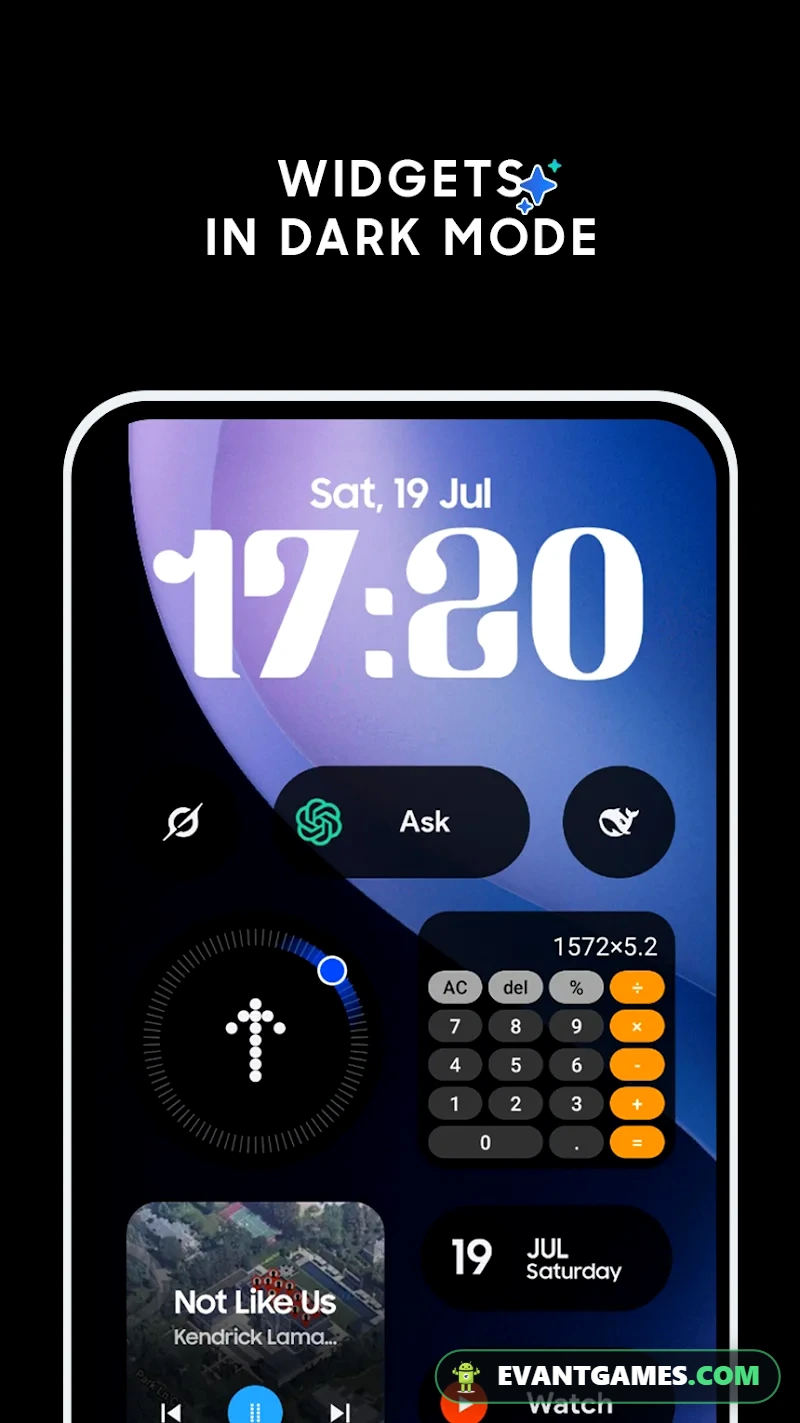
Gameplay tips that actually help
Although One UI Widgets isn't a traditional game, there's still a better and worse way to approach its customization tools. Most frustrating layouts come from trying to fit too many attractive elements onto a screen that has limited space.
Here are six practical ways to make one ui widgets mod apk more useful.
- Start with one important widget: Pick the information or shortcut you want to see most often. Give that element the clearest position before adding decorative widgets around it.
- Check your wallpaper contrast: A detailed photograph can make small labels difficult to read. Try a simpler background or place important text over a less distracting part of the image.
- Leave room for your fingers: A crowded launcher can look impressive in a screenshot but feel awkward during normal use. Keep enough separation between widgets and frequently opened applications.
- Match widget proportions: Mixing large and narrow elements without planning can produce uneven spacing. Arrange your biggest widget first, then use smaller elements to balance the remaining area.
- Test your actual launcher: Android launchers don't all handle widget resizing in the same way. If a design appears clipped or refuses to fit, examine the available home-screen grid before blaming the widget itself.
- Build around daily habits: Put useful information on the first screen and less frequently viewed widgets on another page. A good setup makes common actions quicker instead of adding extra swipes.
Three layout ideas worth trying
A minimal layout works well if you prefer a clean screen. Choose one prominent widget, keep essential applications nearby, and allow the wallpaper to remain visible. This approach is particularly comfortable on smaller displays.
A balanced layout gives you more information without filling every available position. Place a larger widget near the top, arrange smaller shortcuts beneath it, and reserve enough space for application names to remain readable.
A two-page layout suits people who enjoy personalization but dislike clutter. Keep the first page focused on daily essentials, while the second contains extra widgets and experimental designs.
These arrangements aren't exclusive presets or confirmed built-in modes. They're practical ways to use the widget collection described for One UI Widgets.
One detail many users overlook is the difference between widget design and launcher layout. A widget may look spacious in a preview but become cramped when placed inside a narrow grid.
Another is text readability. A beautiful background can obscure a widget's labels, especially when the wallpaper contains similar colors.
Finally, Android battery management can affect certain widgets that rely on background updates. Changing a visual theme won't necessarily solve delayed information refreshes.
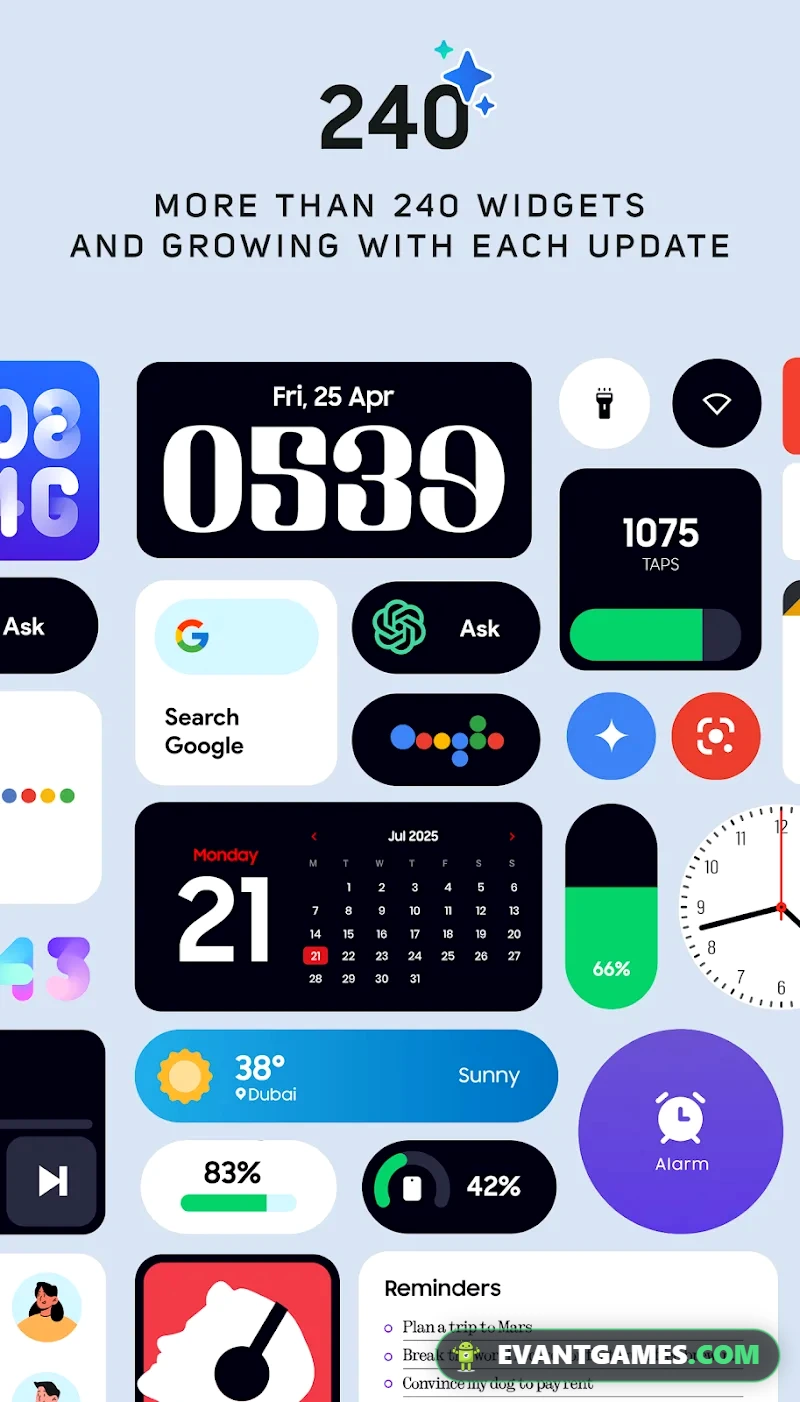
What's new in v4.1.011
The supplied release information identifies v4.1.011 as the current version, with an application size of 15 MB. The developer is JustNewDesigns, and the recorded last update is October 24.
There isn't a verified changelog explaining which widgets were added, which bugs were corrected, or whether compatibility was expanded. It would be misleading to promise new themes or improved animations without that information.
The most useful thing to understand is the version difference. The current listing refers to 4.1.011, while the site's available version entry is 3.1.011. The source information also mentions another release numbered 3.1.013.
These version numbers shouldn't be treated as interchangeable. A larger version number doesn't automatically prove a specific feature improvement, and an older package may behave differently on your device.
If you're comparing one ui widgets apk latest version listings, inspect the exact version identifier and its accompanying description. Don't assume two packages have the same contents simply because both use the One UI Widgets name.
Which listed version makes more sense?
For users mainly interested in the advertised Full Version modification, v4.1.011 is the reference release in this article. It represents the MOD information provided for the current listing.
However, the site's version selection currently identifies 3.1.011 rather than 4.1.011. Check which version is actually presented in the file section before deciding that you're getting the release described here.
The page also reports two download mirrors. Those are alternative sources for obtaining a file, not two different editions or a guarantee that their available versions match.
If both mirrors present the same verified package, your choice may simply come down to availability. If their version identifiers differ, prioritize clarity about the exact file over an attractive label.
This is particularly important for anyone searching one ui widgets mod apk download results, where titles and package versions can sometimes be inconsistent.
Beginner mistakes and the best upgrade order
The easiest way to enjoy this application is to treat customization as a sequence of small improvements. There aren't confirmed character levels, equipment upgrades, or in-app progression systems, so the best upgrade order is really an order for improving your home-screen design.
A practical customization order
- Choose a readable wallpaper first. Your background influences how every widget looks. Start with colors and details that won't hide text, then adjust the widget arrangement around it.
- Decide which information matters most. Don't fill the screen simply because several attractive designs are available. Prioritize the information you regularly check, then consider decorative additions.
- Place the largest widget before smaller ones. Large elements determine how much space remains. Starting with tiny widgets often forces you to rebuild the layout when you finally add a bigger design.
- Adjust your home-screen grid. A launcher with limited spacing can make widgets look compressed. If your launcher supports grid adjustments, experiment with those settings before rejecting an otherwise suitable design.
- Keep essential applications accessible. A common beginner mistake is replacing convenient icon positions with decoration. Your home screen should still make ordinary tasks easy.
- Test updates and responsiveness. If a widget displays changing information, verify that it refreshes as expected. Power-saving restrictions or launcher behavior can sometimes affect background activity.
- Save a familiar layout before major changes. Use a screenshot to record your preferred arrangement. That way, you have a visual reference if an experiment becomes too crowded or difficult to recreate.
Mistakes that waste the most time
The first is trying to reproduce a promotional screenshot exactly. Different screen dimensions, display scaling, and launcher grids can change how a layout appears.
A second mistake is assuming one ui widgets apk mod means the app can modify every part of Android. Widgets occupy supported launcher spaces; they generally can't replace protected system-interface components.
Another is downloading a collection of customization applications before deciding what you want your screen to do. Too many overlapping tools can complicate troubleshooting and make it difficult to identify which application controls a particular element.
Start simple. Once one layout works reliably, make individual changes and evaluate whether each one genuinely improves usability.
one ui widgets mod apk vs the original game
The main difference between the modified and standard experience isn't the type of customization. Both revolve around the same idea: providing an attractive widget collection for Android home screens.
The difference is distribution and the advertised Full Version access. Here's how the two options compare without assuming undocumented premium tools exist.
| Comparison | Original One UI Widgets | MOD version |
|---|---|---|
| Developer | JustNewDesigns | Based on the JustNewDesigns application |
| Main purpose | Widget personalization | Widget personalization |
| Full Version access | Subject to the official application's access conditions | Advertised as Full Version |
| Widget styles | Extended widget library | Same general widget-focused purpose |
| Themes | Multiple visual themes described | No additional exclusive themes confirmed |
| Updates | Official distribution channel | Modified release availability varies |
| Security trust | Official-source verification is easier | Independent file verification is important |
| Compatibility | Depends on Android and launcher | Same general compatibility concerns |
| Maintenance | Official update process | May require separately checking releases |
| Best audience | Users prioritizing official support | Users specifically comparing Full Version access |
The original version is the sensible choice if official updates, source authenticity, and predictable maintenance matter most. A customization utility doesn't need powerful modification features to be worthwhile, and the standard experience may already contain enough visual choices for your preferred design.
The modified version is more relevant if Full Version access is your main priority and you understand the uncertainty that comes with third-party packages. For anyone considering one ui widgets mod apk free as an alternative, the deciding factor should be what the actual release includes, not simply the word MOD in its title.
How does it compare with Samsung's own interface?
Samsung's One UI is an integrated Android interface, while this application focuses on a widget library. That's a meaningful difference when evaluating what you can actually change.
A Samsung-inspired widget can match the appearance you want without giving your phone Samsung-exclusive firmware capabilities. System menus, notification behavior, and device-specific services are separate matters.
People searching for one ui home apk mod may be looking for an entire launcher rather than a widget pack. If your main goal is rearranging information and decorating your home screen, One UI Widgets is a closer match.
Similarly, one ui 7 download apk searches usually suggest interest in a broader Samsung software release. A third-party widget package isn't an Android operating-system update, regardless of how familiar its design looks.
Performance, battery and storage tips
One UI Widgets is listed at 15 MB, making the supplied application package relatively compact. That doesn't mean every home-screen setup will use exactly the same storage or battery resources.
Widgets operate inside a wider Android environment. Your launcher, wallpaper, background restrictions, and display settings all affect how responsive the final arrangement feels.
Settings for low-end Android phones
If your phone has limited memory or struggles with background applications, prioritize a smaller selection of useful widgets. A visually simple home screen is easier to manage and may reduce unnecessary activity.
Avoid stacking multiple utilities that display similar information. For example, using several separate widgets for the same purpose provides little value if one can meet your needs.
Static wallpapers are another practical choice. Animated backgrounds can add processing and graphics activity, especially on older devices.
Also check whether your launcher already includes widgets that serve the same function. Keeping duplicate customization tools active can make the setup harder to maintain.
Don't immediately disable background activity for every widget-related application. Some widgets that display changing information may need permission to refresh, and aggressive battery restrictions can interfere with that behavior.
Settings for newer and high-end phones
Modern devices give you more room to experiment with elaborate home-screen arrangements. You can try larger layouts and multiple widgets without needing to simplify everything immediately.
Still, expensive hardware doesn't make poor design easier to use. Keep spacing comfortable, preserve readable labels, and avoid turning the first screen into a crowded dashboard.
If your phone has a high-refresh-rate display, remember that the refresh-rate setting belongs to the device. There's no confirmed special refresh-rate feature inside one ui widgets mod apk.
Likewise, any improvement in widget responsiveness depends on the actual device, launcher, and widget behavior. The supplied MOD information doesn't establish a dedicated performance mode.
Storage and battery habits
The 15 MB listed size describes the APK package, not a promise about total installed storage usage. Android applications may use additional space for settings, cached information, or other application data.
If your storage is limited, review unused customization applications periodically. Removing tools you no longer use is generally more helpful than constantly clearing data from an app you actively depend on.
Battery testing should be practical rather than obsessive. Set up the widgets you want, use your phone normally, and inspect Android's battery-usage screen if you notice an unusual change.
One ui widgets mod apk isn't advertised as a battery optimization utility. Its value is customization, so measure the results by convenience and appearance rather than expecting improved battery life.
Pros and cons
A good widget collection should offer design freedom without making everyday phone use more complicated. One UI Widgets has a clear purpose, but the modified release also comes with limitations worth considering.
Pros
- Samsung-inspired widget styling without needing to replace the entire Android system.
- Extended widget collection and themes for different home-screen arrangements.
- Full Version is the confirmed MOD designation.
- Compact listed APK size of 15 MB.
- Useful for minimalist layouts and information-focused screens.
Cons
- Full Version details don't identify specific premium widgets or removed restrictions.
- Launcher and device compatibility can affect widget placement and behavior.
- No verified changelog explains the improvements in v4.1.011.
- Third-party modifications carry additional authenticity and security uncertainty.
- The listed available version differs from the current article version.
The application's recorded Google Play rating is 3.5, with 50K+ installs. Those figures show an existing audience, but the rating also suggests that the experience shouldn't be assumed perfect for every user.
Is it safe?
Safety matters even for a small personalization utility. A widget application can seem harmless because it mainly changes appearance, but any modified APK should be treated as software from a source that deserves verification.
At EVANTGAMES.COM, file scanning is part of the safety workflow. However, a scan reduces some risks rather than proving that every APK is harmless. The specific file's scan results, permissions, and package integrity still matter.
Before trusting one ui widgets mod apk, check that the application identity matches com.jndapp.oneui.widgets.pack. Package names are useful identification details, although matching one doesn't establish that a file is authentic.
Pay attention to permission requests as well. A personalization application may legitimately need certain access to perform its intended functions, but an unrelated or unusually broad request deserves closer inspection.
The page lists two mirrors and a free mirror option. Free access shouldn't be confused with guaranteed availability, and a working mirror isn't evidence that its file has passed every security check.
If one source is unavailable, verify the version and file identity before considering the other. Don't assume the mirrors contain identical releases unless that has been confirmed.
Back up important phone settings and record your current home-screen arrangement before making substantial changes. A screenshot is especially useful if you want to rebuild your layout later.
Finally, use modified files at your own risk. The official release is the lower-uncertainty option when you value trusted distribution and regular maintenance more than modified access.
Frequently Asked Questions
What is One UI Widgets MOD APK?
It's a modified edition of the One UI Widgets personalization application by JustNewDesigns, with Full Version listed as its MOD feature.
Is One UI Widgets MOD APK free?
The modified release is presented as a free download option, but the supplied information doesn't verify every access condition or establish which individual features are included.
Does One UI Widgets work on every Android phone?
Compatibility depends on your Android version and launcher behavior. The provided data doesn't specify a minimum Android requirement, so universal compatibility can't be guaranteed.
What is the difference between v4.1.011 and v3.1.011?
The versions have different identifiers, but no verified changelog is supplied to establish specific feature changes. The current article covers v4.1.011, while the site's listed available version is 3.1.011.
Can One UI Widgets replace Samsung One UI?
No. It's a third-party widget personalization application, not a complete Samsung operating-system or launcher replacement.
What is the latest version of One UI Widgets?
The latest version of One UI Widgets on EVANTGAMES is 4.1.011 (15 MB), updated on Oct 24. This page is refreshed whenever a new build is released.
Is one ui widgets mod apk free to download?
Yes. The one ui widgets mod apk download page always has a free download option. A faster sponsored option may be shown as well, but it is never required.
Who is the developer of One UI Widgets?
One UI Widgets is developed by JustNewDesigns. If you want the original version, use the official Google Play link in the app info table above.
Final verdict
One UI Widgets MOD APK v4.1.011 is most appealing to Android users who enjoy building clean, Samsung-inspired home screens and want to explore the advertised Full Version experience. Its widget-focused design is genuinely practical, but unclear MOD details and version differences make careful file verification important before choosing it over the official release.
one ui widgets mod apk Features
- Full Version
One UI Widgets Screenshots
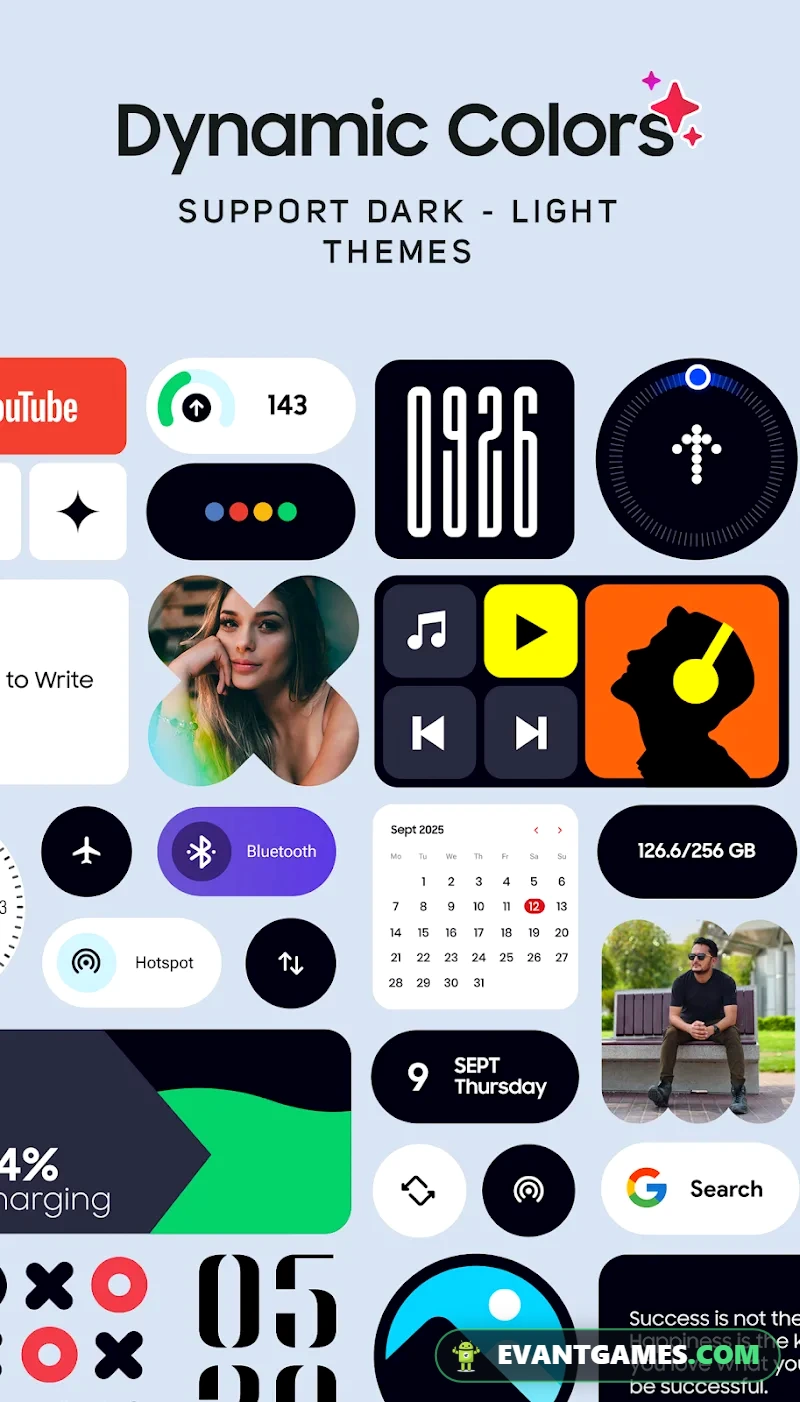
How to Download and Install one ui widgets mod apk
- Open the download page
Tap Download One UI Widgets. The download page opens with every mirror for this version.
- Pick your mirror
The free option is always available. The sponsored fast option is optional and only removes the wait.
- Allow the install
If Android asks, enable Install unknown apps for your browser or file manager (Settings › Apps › Special access).
- Install the file
Open the downloaded file and tap Install. If the file is an XAPK or comes with an OBB folder, follow our APK, XAPK & OBB install guide.
- Play
Launch One UI Widgets and enjoy. New versions are posted on this page — bookmark it.